
The Google Play balance is a prepaid credit for restricted use, linked to a Google account and limited to one country. It does not constitute an electronic money balance in the regulatory sense, which is why there is no “Transfer to my bank” button in the standard interface. The terms and conditions of Google Play gift cards state that the balance is neither exchangeable for cash, nor refundable, nor transferable, except as required by local law.
Google Play balance and Google Pay profile: the technical distinction that changes everything
Two types of balances coexist within the Google ecosystem, and the confusion between the two generates the majority of blockages. The first, the Google Play balance, comes from gift cards, promotional codes, or refunds from purchases on the Play Store. This balance is strictly limited to purchases of digital content (apps, games, YouTube subscriptions, movies).
The second type of balance appears in the Google Pay payment profile, accessible via pay.google.com. This balance comes from incoming transfers, refunds processed by Google Payments, or transfers between Google Pay users. Unlike the Play Store credit, this can, in certain cases, be withdrawn to a bank account or debit card.
To check the nature of your balance, log in to pay.google.com, then check the “Payment methods” section. If a “Transfer balance” or “Withdraw funds” button appears, the amount is eligible for withdrawal. Anyone looking to transfer their Google Play balance to a bank account must first identify which of these two balances is involved.
A balance displayed only as “Gift card” in the Play Store profile will never be transferable to a bank account. This rule is technical, related to the legal status of the credit, and no setting manipulation can circumvent it.

Withdrawing Google Pay funds to a bank account: procedure and conditions
When the balance is indeed hosted in Google Pay (and not in the Play Store), the withdrawal procedure exists. It remains limited to certain regions and requires a bank account or debit card already registered in the payment profile.
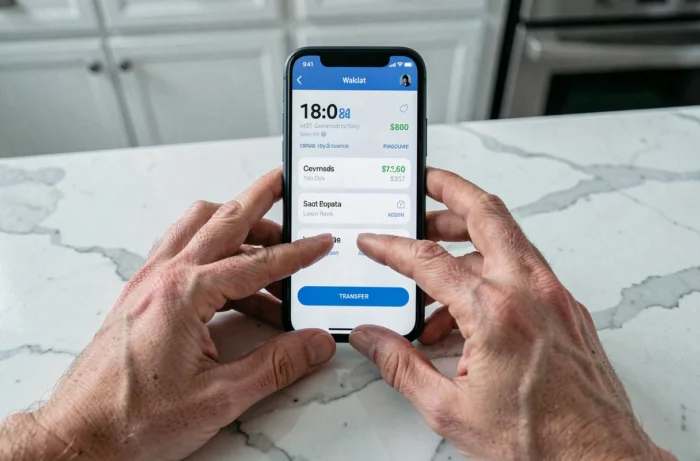
- Go to pay.google.com and log in with the relevant Google account.
- Open the “Payment methods” section and locate the available balance. If the “Transfer balance” option is present, click on it.
- Enter the desired amount, select the target bank account or debit card, and then confirm the operation.
- The processing time varies depending on the bank, but it typically takes several business days.
If the transfer button does not appear, it means that the balance is not eligible for withdrawal. This is the case for any credit coming exclusively from Google Play gift cards. Google does not provide any recourse or specific form to force a release in this situation.
Common workarounds and their real limits
Several methods circulate online to convert a Google Play balance into cash. We recommend understanding the mechanisms before considering them, as none are officially supported by Google.
Buying and reselling digital content
Some users purchase apps, movies, or eBooks with their Play balance and then attempt to resell the associated codes or accounts. In practice, the purchased content is linked to the Google account and cannot be transferred to a third party. The terms of use explicitly prohibit resale, and Google may suspend an account if detected.
Using the balance to pay for third-party subscriptions
The Google Play balance can be used to pay for subscriptions billed through the Play Store (Netflix, Spotify, YouTube Premium, among others). This approach does not generate cash, but it frees up the equivalent in the monthly budget. It is the most pragmatic method to utilize a blocked balance without the risk of account suspension.
Peer-to-peer exchange
Unofficial platforms offer to exchange Google Play credits for bank transfers or payments via other services. The risk of fraud is high, and Google does not cover any losses related to this type of transaction. In case of a dispute, no recourse is possible with Google support.
Legal exceptions to the non-refundable nature of the balance
In certain jurisdictions, consumer law requires issuers of prepaid credits to refund residual balances below a certain threshold. In the United States, several states have so-called “cash-back” laws for gift cards with low remaining balances. In Europe, the Payment Services Directive regulates electronic money, but the Google Play balance is classified as limited-use prepaid credit, which excludes it from this scope in most cases.
For users residing in an area where such an exception exists, the refund request goes through Google support, not through the Play Store interface. Proof of residence must be provided, and the applicable regulation must be invoked. The amounts involved are generally very small.
The Google Play balance remains a closed instrument by design. The only reliable extraction comes from a balance hosted in Google Pay, funded by a transfer or refund, and not by a gift card. For any other case, indirect valuation through subscriptions remains the safest route, without exposure to the risk of suspension or fraud.