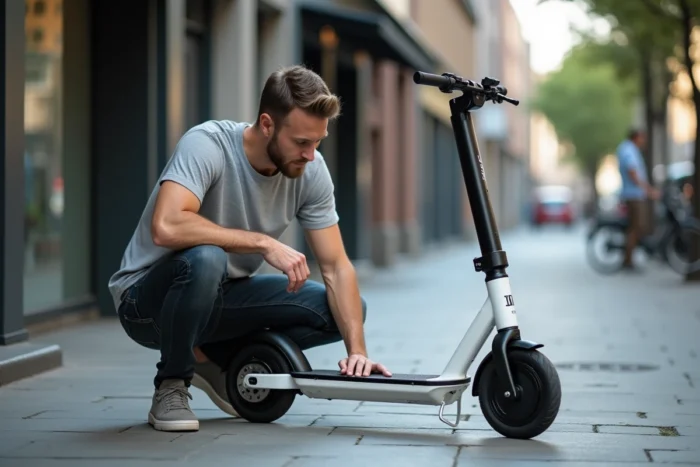
Your Urban Glide 140 refuses to start on a weekday morning, just when you need it to catch the tram. The problem rarely stems from a single cause, and the most visible failure (flat battery, screen off) often hides a more discreet malfunction in the controller or wiring. Understanding the diagnostic logic specific to this model helps avoid replacing a part unnecessarily.
Original controller of the Urban Glide 140: the weak link that guides overlook
On specialized forums, user feedback regularly points to a fragility of the original controller. When the scooter cuts out unexpectedly or the assistance disappears uphill, the first thought is often the battery. In many cases, it is the controller that is overloaded.
The controller manages the distribution of power between the battery and the motor. On the Urban Glide 140, an undersized controller causes cutouts under load, especially when climbing or in hot weather. The typical symptom: the scooter operates normally on flat ground, then loses all assistance as soon as the effort increases.
Before ordering a replacement controller, first check the connectors. A loose connection on the cable linking the controller to the motor produces exactly the same symptoms. Unplugging and then replugging each connector (scooter off, battery disconnected) is sometimes enough to restore functionality. If you are looking for solutions to Urban Glide 140 issues, this controller diagnosis should be at the top of the list.
Battery and charger: diagnosing a range failure on the Urban Glide 140
The battery remains the most predictable wear part. When the range drops significantly compared to the first months, two scenarios arise.
The charger no longer fully charges
The charger’s light turns green too quickly, well before the battery is full. In this case, the problem often lies with the charger itself and not the battery. Test with a multimeter at the charger terminals: the output voltage should match the value indicated on the label. A notable discrepancy indicates a faulty charger.
The battery discharges abnormally quickly
A battery that loses its capacity within a few weeks indicates a cell problem, not just normal wear. Lithium-ion cells age faster when the scooter is stored with a completely empty battery for several weeks. The UrbanGlide manual also recommends not leaving the battery completely discharged during storage.
Three checks to perform before replacing the battery:
- Measure the voltage at the battery terminals after a full charge (a basic multimeter is sufficient). If the voltage is significantly lower than the nominal value, the battery is at fault.
- Visually inspect the cables between the battery and the controller: a cable pinched by the folding mechanism creates resistance that mimics a loss of range.
- Ensure that the charger reaches its maximum voltage before turning green, as a tired charger may leave the battery half-charged.
Screen and throttle: when the scooter responds poorly to commands
A screen that displays erratic values or a throttle that gradually stops responding are common failures on this model. The trigger throttle of the Urban Glide 140 wears out at the level of the internal potentiometer. The symptom: the scooter accelerates in jerks or only reacts at the end of the throttle’s travel.
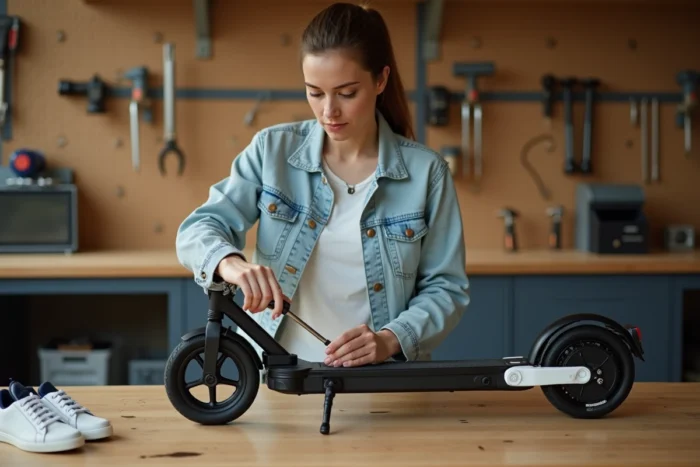
Start by checking the throttle connector, located under the handlebars. Cleaning the contact and firmly reconnecting it resolves the issue in many cases. If the problem persists, replacing the throttle is a straightforward operation: the part unclips from the handlebars and reconnects via a standardized plug.
For the screen, feedback varies on this point. Some users report a frozen screen after exposure to rain despite the model’s waterproof rating. Drying the connectors at the stem often resolves a frozen screen after a downpour. If the screen remains black even after complete drying and checking the connections, the communication cable between the screen and the controller is likely damaged.
Urban Glide 140 repair: authorized workshop or home intervention
UrbanGlide has structured a network of authorized repairers in France, presented as guaranteeing specific expertise for the brand. For a model still under warranty, going through this network avoids any warranty exclusion related to an unauthorized intervention.
Outside of warranty, the question arises differently. The most common parts (throttle, charger, brake handles) can be found online and replaced with minimal tools. Interventions on the controller or battery require more caution, especially regarding electrical safety.
Points to consider before choosing between home repair and workshop:
- A generic replacement controller may not be compatible with the screen firmware, which can prevent the scooter from starting.
- Dismantling the lower casing requires identifying the exact routing of the cables to avoid pinching during reassembly, a frequent source of secondary failures.
- A lithium-ion battery mishandled presents a real risk of thermal runaway: if you are not comfortable with this type of intervention, the authorized workshop remains the safest route.
The updated manual replaces the previous version, meaning that some advice found in old discussion threads or video tutorials may no longer correspond to the specifications of the model currently sold. Checking the publication date of a tutorial before following its instructions is part of basic reflexes.
The majority of failures of the Urban Glide 140 can be resolved through a methodical diagnosis: connectors, then charger, then controller. Replacing a battery without testing the rest of the circuit is like changing a tire when the problem is with the brake. By starting from the simplest to the most complex, you save time and parts.